

Dimensions vs Natural Accounts: How to Decide What Goes Where
The most powerful reporting lever in Business Central is not the Chart of Accounts. Most organizations never fully use it.
There is a question that does not get asked often enough during Business Central design sessions, and it is the one that separates charts that age well from charts that become anchors.
The question is: does this belong in the Chart of Accounts, or does it belong in a Dimension?
It sounds like a technical question. It is not. It is a strategic one. And the answer has more to do with how the business thinks about its data than with how Business Central is configured.
In the two previous parts of this series, we established that the Chart of Accounts is a set of reporting promises, and that designing it for Business Central specifically requires breaking from legacy patterns that serve an old platform, not the organization. This part is about the other half of that design equation. The part that many implementations underinvest in, and that most organizations do not fully understand until they are living with the consequences.
Dimensions are not a supplemental feature. In Business Central, they are the primary tool for analytical reporting flexibility. When they are used well, they make the Chart of Accounts cleaner, the reports more powerful, and the entire financial data structure easier to maintain. When they are ignored or underused, the Chart of Accounts grows to compensate, and the organization ends up with exactly the kind of over-segmented, difficult-to-maintain structure we described in Part 2.
What Dimensions Actually Are
A Dimension in Business Central is a tag. That is the simplest way to think about it. When a transaction is posted, you can attach one or more dimension values to it, and those values travel with the transaction through the ledger. They are not accounts. They do not affect the posting logic directly. But they become filterable, groupable attributes that you can use to slice and analyze your financial data in ways that the Chart of Accounts alone cannot support.
For example, suppose you want to see operating expenses broken down by department. You have two paths. Path one: create separate accounts for each department’s expenses. Travel for Sales, Travel for Marketing, Travel for Operations, and so on, multiplied across every expense category. Path two: maintain a single Travel Expenses account and tag every transaction with a Department dimension value. The account stays clean. The reporting stays flexible. And when the organization restructures and a department disappears or splits, you update dimension values rather than rearchitecting the chart.
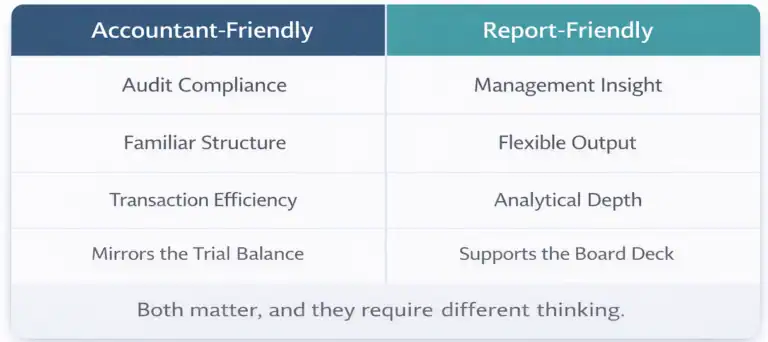
That is the core of the decision. Accounts carry permanence and structure. Dimensions carry flexibility and analytical depth.
Accounts answer the question: what kind of transaction was this? Dimensions answer the question: where, why, for whom, and under what context did it happen?

How Business Central Implements Dimensions
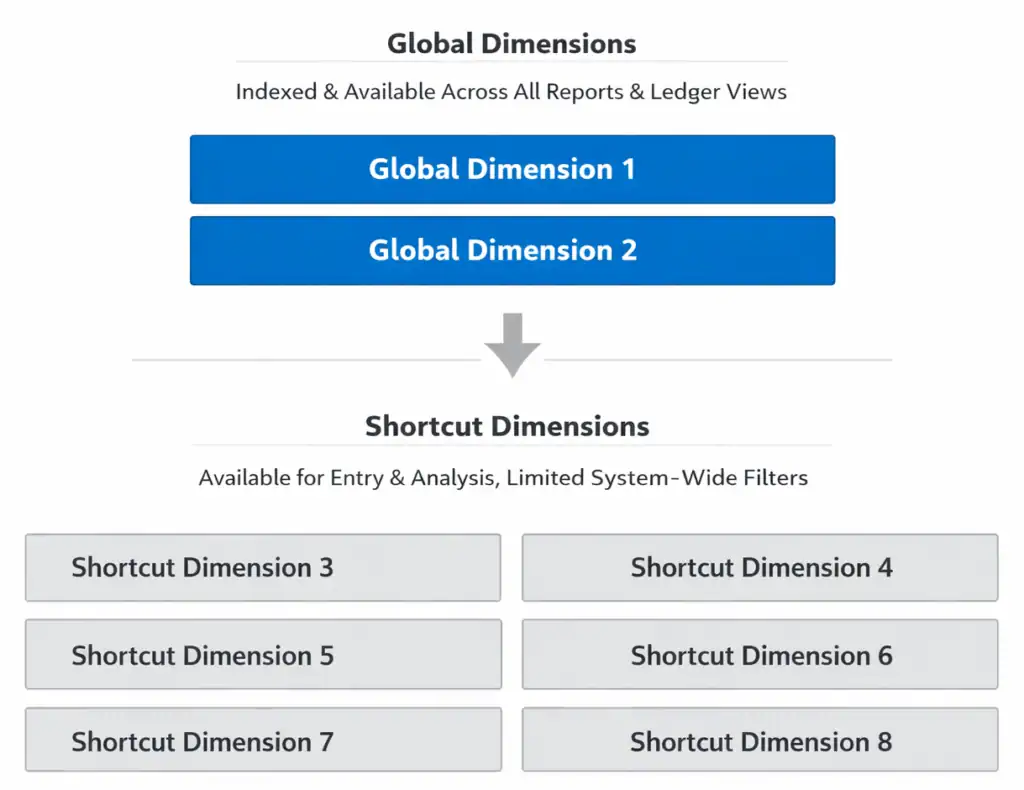
Business Central supports an unlimited number of Dimension definitions, but treats eight of them in a special way. I call these the “elite eight” (yes, it is March and I am not sorry). Two of the eight are Global Dimensions. Global Dimensions 1 and 2 are available as filter fields across almost every report, every ledger inquiry, and every analytical view in the system. They are indexed, fast, and deeply embedded in the platform’s reporting architecture. This makes them ideal for the most commonly used, or most important dimensions within your structure.
The remaining six within our elite eight are called Shortcut Dimensions. They are available for transaction entry and can be used in analysis views and Financial Reports, but they do not have the same ubiquitous filter presence that Global Dimensions do, but are present on journals for easy entry. Entering additional dimensions outside of the “elite eight” is possible, but these have a slightly different entry process and filtering implications for reporting. We will focus on the “elite eight” in the balance of this article. I plan on doing a deeper dive on broader dimensions in a future post.
The practical implication is that the choice of what to designate as Global Dimension 1 and 2 is a design decision with long-term consequences. It is not easily changed after transactions have been posted, because the global dimension values are stored directly in ledger entries. Most organizations should designate their two most universally important analytical attributes as Global Dimensions. For many, that is Department and some form of cost center or business unit. For others it might be Region and Project, or Legal Entity and Division. The right answer depends entirely on how the business thinks about its financial performance.
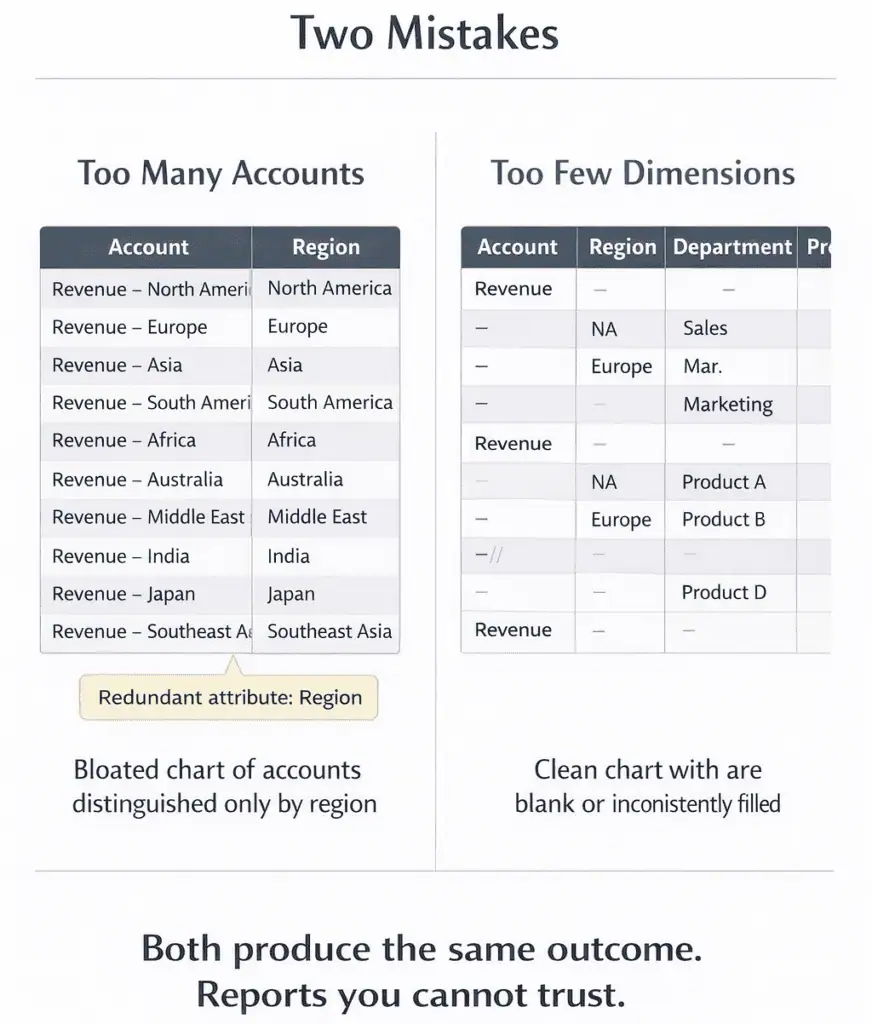
The Two Mistakes That Define Most Implementations
After 25 years of working with this platform and its predecessor (NAV), the Dimensions-related design problems I see fall into two categories. They are essentially mirror images of each other, and they both produce the same result: a reporting structure that is harder to work with than it should be.
Mistake One: Too Many Accounts
This is the more common of the two, and it almost always has the same origin story. The organization came from a system that had no real dimension capability, or had dimensions that were too cumbersome to use effectively. So over the years, every time someone needed a new analytical cut, they added an account. Revenue by product line became twenty revenue accounts. Operating expenses by region became a matrix of accounts that required a spreadsheet to navigate. The chart grew not because the business needed more accounts, but because accounts were the only available tool.
When that organization moves to Business Central and imports the chart without questioning the structure, they inherit all of that complexity. And they miss the opportunity that Dimensions represent, because no one stopped to ask whether those analytical cuts could be handled more cleanly at the dimension level.
The signal to watch for is accounts that are structurally identical except for one attribute. Consulting Revenue and Product Revenue and Services Revenue are all revenue. The distinction between them is analytical context, not accounting category. That context belongs in a Dimension, not in three separate accounts.
Mistake Two: Too Few Dimensions
The opposite problem shows up less often but tends to be more damaging to reporting quality over time. This is the organization that keeps the Chart of Accounts clean, sometimes impressively so, but configures only one or two dimensions and does not enforce consistent tagging discipline. Transactions get posted without dimension values, or with values that are inconsistent across the team, and the dimension data becomes unreliable.
When dimension data is unreliable, users stop trusting it. When they stop trusting it, they stop using it. When they stop using it, they go back to workarounds. The Excel files return. The manual pivot tables return. And the Chart of Accounts starts growing again to compensate.
Dimensions only deliver their value when the organization commits to populating them consistently. That commitment requires training, it requires mandatory dimension rules on accounts where analytical tagging is non-negotiable, and it requires someone owning the dimension value lists to keep them clean as the business changes.
One practical tool that supports consistent tagging discipline is dimension defaulting at the master record level. Customers, vendors, items, and GL accounts can all be configured with default dimension values, so that transactions involving those records are tagged automatically rather than relying on manual entry every time. Used well, this reduces the governance burden significantly and is one of the features that separates implementations with clean dimension data from those that struggle with it.
A clean chart with underpopulated dimensions is not better than an over-segmented chart. It is just a different kind of reporting problem. The goal is both: a chart with structural integrity and dimensions that are populated with discipline.
A Practical Decision Framework
The question of what belongs in an account versus a Dimension does not need to be answered on instinct. There is a straightforward way to think through it.
Start with the nature of the distinction. If the distinction changes what type of financial activity occurred, it belongs in an account. Revenue is fundamentally different from Cost of Goods Sold. That is an accounting distinction and it lives in the chart. If the distinction changes the context of the financial activity rather than its nature, it is a candidate for a Dimension. Revenue from the East Region and Revenue from the West Region are both revenue. The regional attribution is context.
Next, consider permanence. Accounts are difficult to retire once transactions have been posted against them. Dimension values can be deactivated and new ones added as the business evolves. If the analytical cut you are considering is likely to change as the business grows, acquires, or restructures, Dimensions handle that evolution more gracefully than accounts.
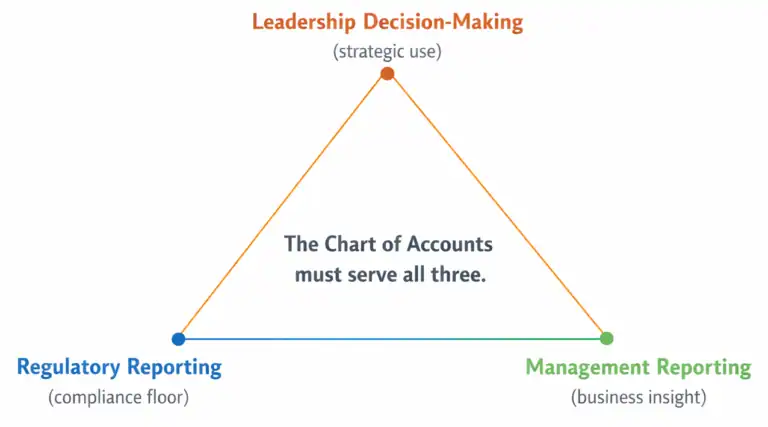
Then consider reporting reach. If this distinction needs to appear on the statutory financial statements, the income statement, or the balance sheet, it almost certainly needs to be an account. Statutory reporting in Business Central draws from the chart structure. Management reporting draws from both the chart and dimension filters. If the distinction is purely for management or operational visibility, Dimensions are the right tool. Finally, consider the posting implications. In Business Central, certain posting behaviors, tax calculations, and intercompany flows are tied to account-level configuration. If the distinction has any bearing on how transactions should post, that is an account-level concern.

Getting the Global Dimension Decision Right
Because Global Dimensions 1 and 2 carry special weight in Business Central’s reporting architecture, the decision of what to put there deserves deliberate thought rather than a quick default.
The most useful test is this: which two analytical attributes will appear in the most reports, drive the most management conversations, and need to be filterable across the widest range of ledger inquiries? Those are your Global Dimensions.
Department is the most common Global Dimension 1 choice in mid-market implementations, and for good reason. Departmental visibility cuts across the entire income statement for most organizations and is the most frequently requested filter in management reporting. Cost Center, Division, or Business Unit serve the same role in organizations where those are the primary accountability structures.
Global Dimension 2 varies more. Region, Project Category, and Legal Entity are all common choices depending on how the organization is structured. What matters is not the label but the breadth of use. If a dimension value will be relevant on only a subset of transactions, it probably belongs as a Shortcut Dimension rather than a Global one.
One thing worth flagging: changing Global Dimensions after go-live is possible but disruptive. It requires a data correction process that touches posted ledger entries, and it should be avoided wherever possible. Getting the Global Dimension designation right during design is one of the decisions that pays the quietest dividends, because when it is correct no one notices. When it is wrong, it becomes a recurring conversation for years.
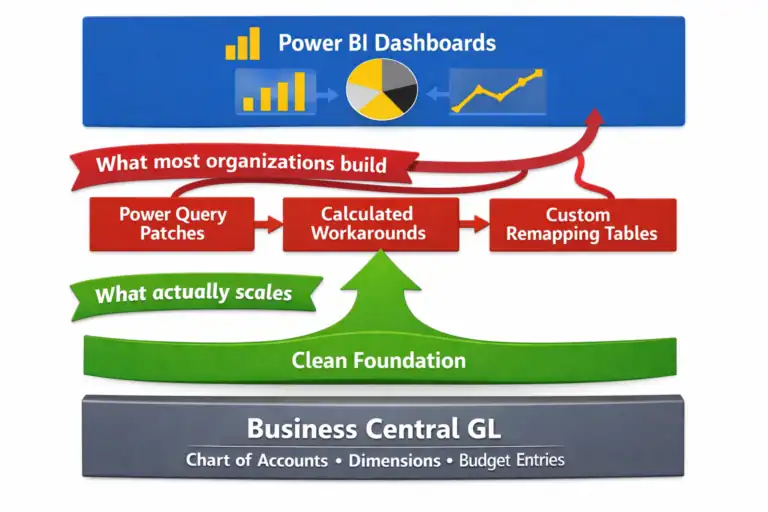
Business Central can produce excellent financial reports. But only if the chart gives it structure and the dimensions give it depth. You need both. One without the other is a half-built reporting foundation.
What Good Looks Like
An implementation that has the Dimensions question right tends to look like this. The Chart of Accounts has somewhere between one hundred and three hundred accounts for a mid-market organization, depending on complexity. The accounts are structurally distinct: each one represents a genuinely different type of financial activity, not a variation of context on the same activity.
Two Global Dimensions are configured around the organization’s primary accountability and analytical structures. Two to four Shortcut Dimensions capture the next tier of important context. Dimension value lists are maintained by someone who owns them, not allowed to grow unchecked.
Transactions are tagged with dimension values consistently because mandatory dimension rules are configured on the accounts where it matters most. And Financial Reports are built cleanly because the underlying data has both structural integrity and analytical depth.
That combination is what makes Business Central’s reporting genuinely powerful. Not the tool itself in isolation, but the data structure underneath it.
Next: capturing requirements before the structure is finalized.
Everything covered in Parts 1 through 3 assumes that the design conversation is happening at the right time. Part 4 is about making sure it does. It covers the reporting requirements questions every implementation should ask before a single account is created or a dimension is configured.
It is also the part most implementations skip.
This Series
Part 1: Your Chart of Accounts Is Already Determining Your Financial Reports
Part 2: Designing a Chart of Accounts for Business Central (Not Your Last ERP)
Part 3: Dimensions vs Natural Accounts: How to Decide What Goes Where [You are here]
Part 4: Reporting Requirements You Must Capture Before Finalizing the CoA
Part 5: How the CoA Impacts Budgets, Forecasts, and Analytics
Part 6: Retrofitting a Broken Chart of Accounts

About the author
David Rhue is The BC Dr., a Business Central consultant who helps organizations diagnose what's broken and get more from their ERP.
David’s book, The Book on BC, arrives October 12, 2027.

Coming October 12, 2027
The Book on BC
Implement it. Upgrade it. Extend it. Use it every day.